Nobody forgets to silence their phone because they do not care. They forget because muting is a small action attached to a change of place, and the brain is unreliable at exactly that: remembering to do something at a moment in the future when your attention is somewhere else.
The two failure modes matter equally. Forgetting to mute is embarrassing. Forgetting to unmute means missing the call that mattered — which is why "just leave it on silent forever" is not the answer.
Why a mental note fails
- The intention forms while you are walking, driving or talking — never at the moment the action is needed.
- The cue that should trigger it (arriving somewhere) is the same cue as fifty other arrivals in your week.
- Nothing goes wrong when you forget — until it does, publicly, once every few months.
- Time-based alarms do not match the problem: it is not 9:00 that needs your phone silent, it is being in the room.
Cues that actually work
- 1Tie muting to the place, not the clock — the reminder should fire when you arrive.
- 2Keep a short list of genuinely quiet places rather than muting everywhere; a reminder you ignore is worse than none.
- 3Pair the physical cue with the digital one: the silent switch on the side of the iPhone is faster than any menu.
- 4Decide your unmute trigger too — leaving the building, or the end of the event.
- 5Use Focus modes for scheduled, predictable blocks, and place-based reminders for everything that moves around your week.
When to use a Focus mode instead
Focus modes are excellent for recurring, timetabled situations — the same meeting every Monday, sleep hours, a fixed shift. They are weaker for irregular arrivals: a client site you visit twice a month, a hospital appointment, a friend’s wedding.
A place-based reminder covers those cases without you having to build a schedule for something that has no schedule.

Setting it up with Hush
- 1
List your real quiet places
Start with the three or four where a ringing phone would actually cause a problem — not every location you visit.
- 2
Add each place once
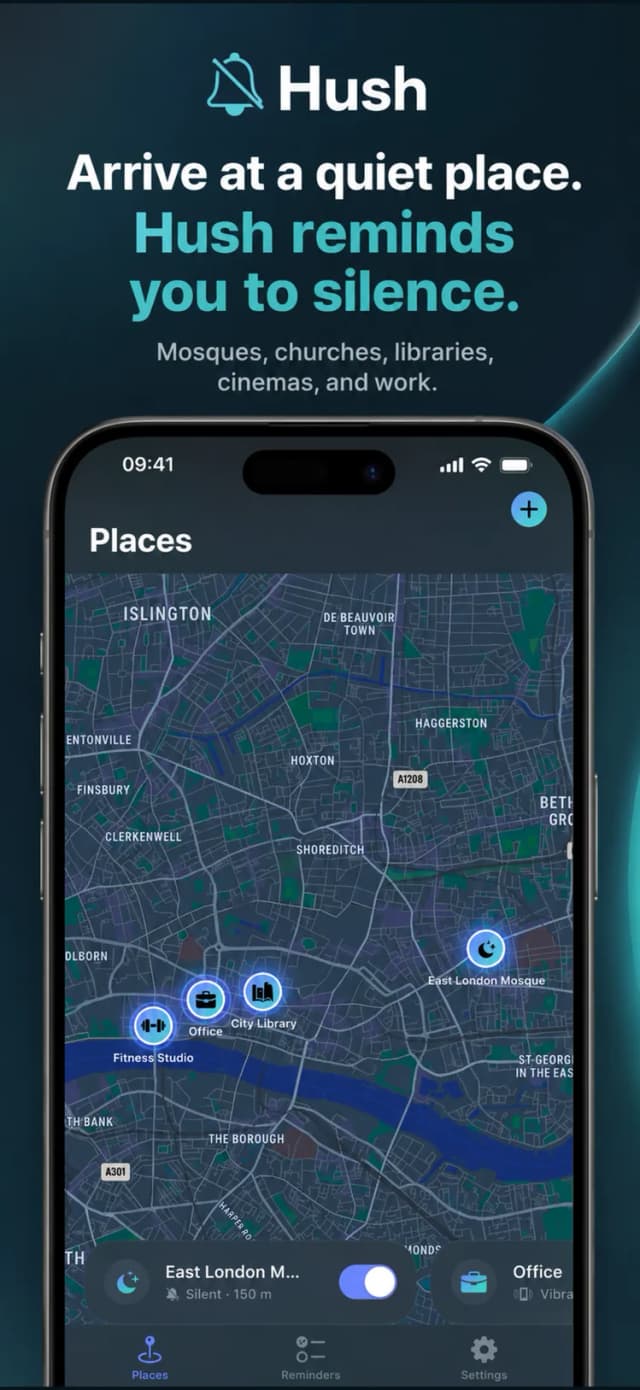
Save it in Hush with a short note about what "quiet" means there — silent only, or vibrate off too.
- 3
Let arrival be the cue
Hush reminds you when you get there, at the moment the action is possible.
- 4
Review at the start of each term or quarter
Timetables change. Two minutes of tidying keeps the reminders meaningful.

Free to download on iPhone & iPad
Frequently asked questions
Does Hush switch my phone to silent automatically?
Hush reminds you to switch to silent when you arrive at a quiet place — the mute itself stays your decision, which avoids muting you at the wrong moment.
Will this drain my battery?
Place-based reminders on iPhone use the system’s energy-efficient location services rather than continuous GPS tracking.