Every doctor visit starts with the same question: "What medications are they currently taking?" For caregivers juggling a parent's prescriptions across multiple doctors, answering from memory is risky — outdated lists cause prescribing errors, duplicate therapies and dangerous interactions.
The solution is a single, living medication list that updates the moment anything changes, tracks what was actually taken, and exports cleanly for every appointment.
What a complete medication list contains
- Every prescription medicine with exact dosage and schedule ("Metoprolol 47.5 mg, 1x morning").
- Over-the-counter medicines, vitamins and supplements — doctors need these for interaction checks.
- As-needed (PRN) medicines and how often they are actually used.
- Instructions that matter: with food, not with dairy, at least 2 hours apart.
Why tracking doses matters as much as the list
When a doctor asks "is the new blood-pressure medication working?", the honest answer depends on whether it was actually taken consistently. A dose history — taken, skipped, when — turns "I think so" into real data, and helps spot patterns like evening doses being missed far more often than morning ones.
The appointment routine
- 1Update the list the same day any prescription changes — new medicine, new dosage, anything stopped.
- 2Before each appointment, export the current list as a PDF.
- 3Bring the dose history for any medicine the doctor is evaluating.
- 4After the appointment, apply the changes immediately while they are fresh.

How DoseBuddy supports caregivers
- 1
Keep one source of truth
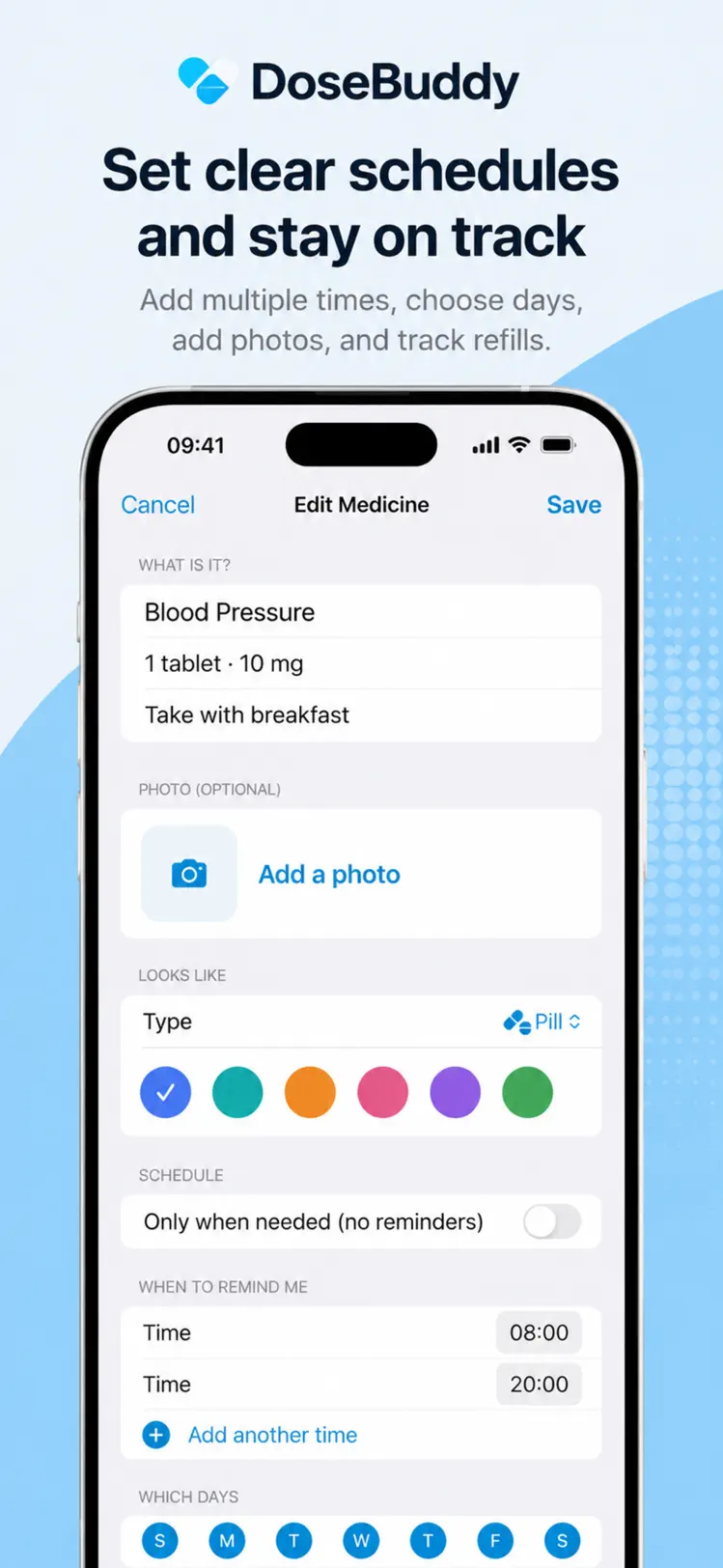
Enter every medicine with dosage and instructions in DoseBuddy — prescriptions, vitamins and as-needed medicines without a fixed schedule.
- 2
Track every dose
Reminders fire on schedule; each dose is marked taken or skipped, building an accurate adherence history automatically.
- 3
Export the PDF
One tap creates a clean PDF of the full medicine list — ready to hand to any doctor, specialist or hospital.
- 4
Update in seconds
When a prescription changes, edit the medicine once — the checklist, reminders and future PDFs all update together.

Free to download on iPhone & iPad
Frequently asked questions
Can I manage someone else's medications in DoseBuddy?
Yes — many caregivers run DoseBuddy on the care recipient's iPhone, or track a parent's regimen on their own device to stay organized.
What does the PDF export include?
The complete medicine list with dosages and instructions — the exact information every doctor asks for at the start of an appointment.