
Save Your Parking Spot in One Tap and Always Find Your Car
ParkSpot pins your car the moment you park, keeps a photo of the pillar or level, and runs a parking timer on your Lock Screen so the meter never wins. When you come back, follow the map straight to your car.

Price
Free
Category
Travel
Platforms
iPhone
Features
Everything ParkSpot can do
One-Tap Spot Saving
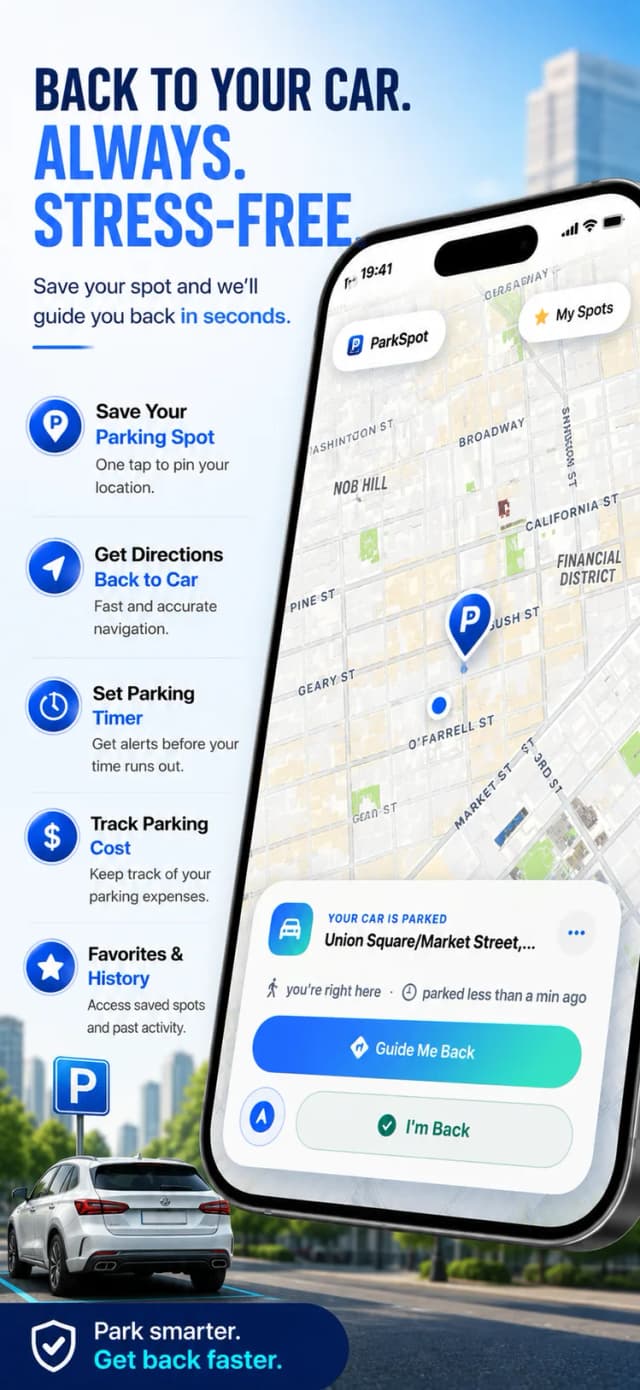
Park, tap, done. ParkSpot pins the exact GPS location together with the street address, so level numbers and row letters stop being something you have to memorise.
Photo of Your Spot
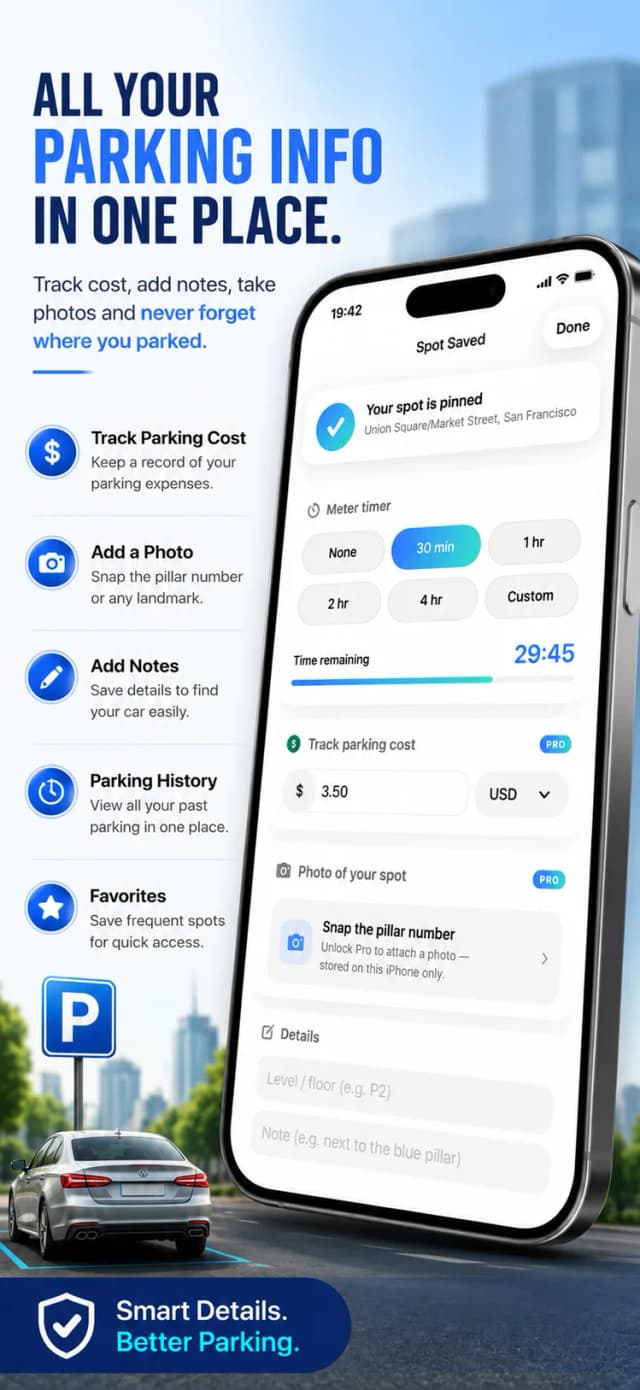
Snap the pillar number, the garage entrance or the street sign. Photos are stored on your device only — nothing is uploaded anywhere.
Parking Timer with Live Activities
Set the time your meter or free zone expires and watch the countdown on your Lock Screen and Dynamic Island. ParkSpot warns you before the ticket, not after it.
Walk Back to Your Car
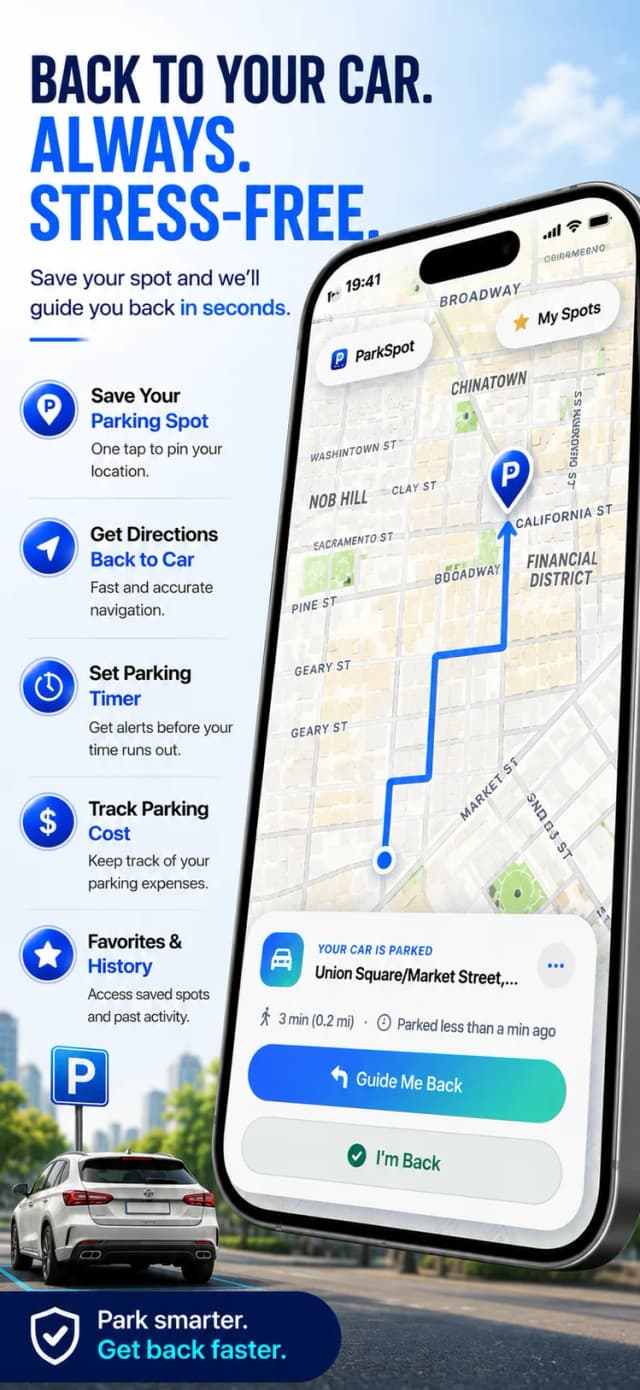
Open the map and follow the pin back, with the remaining distance and the address in view the whole way.
Favourite Spots
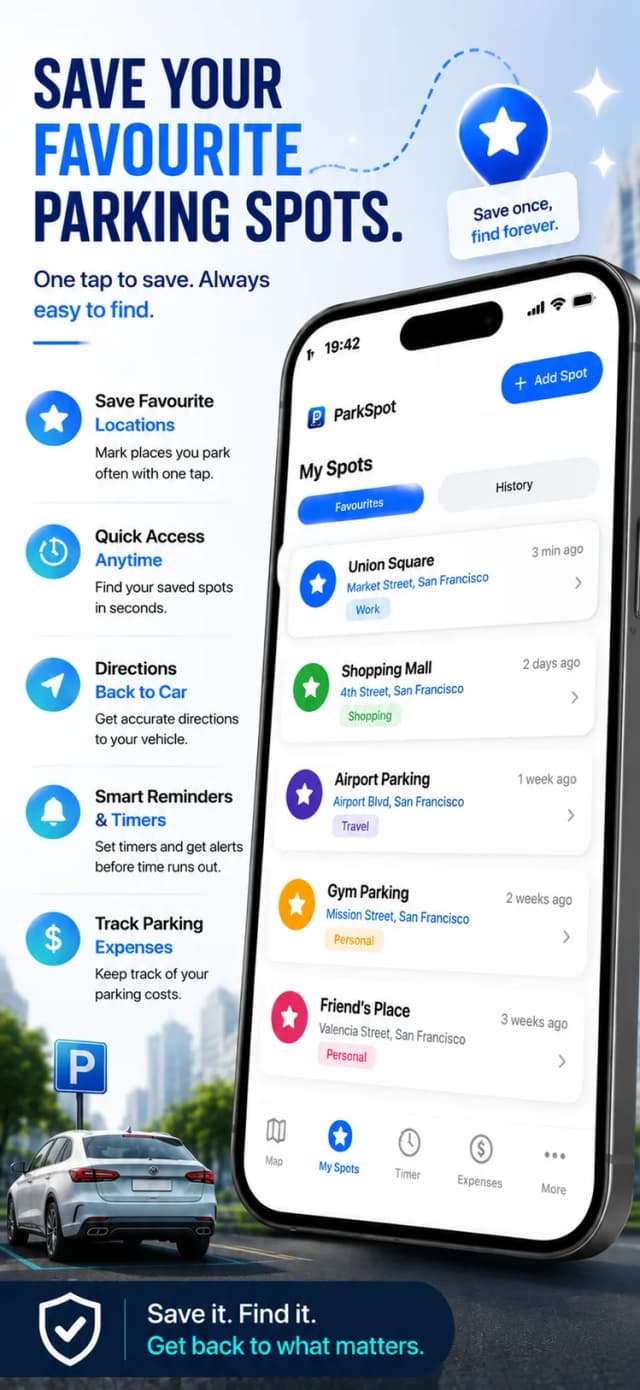
The office garage, the gym, your street — save the places you park all the time and start a new session there in seconds.
History & Costs
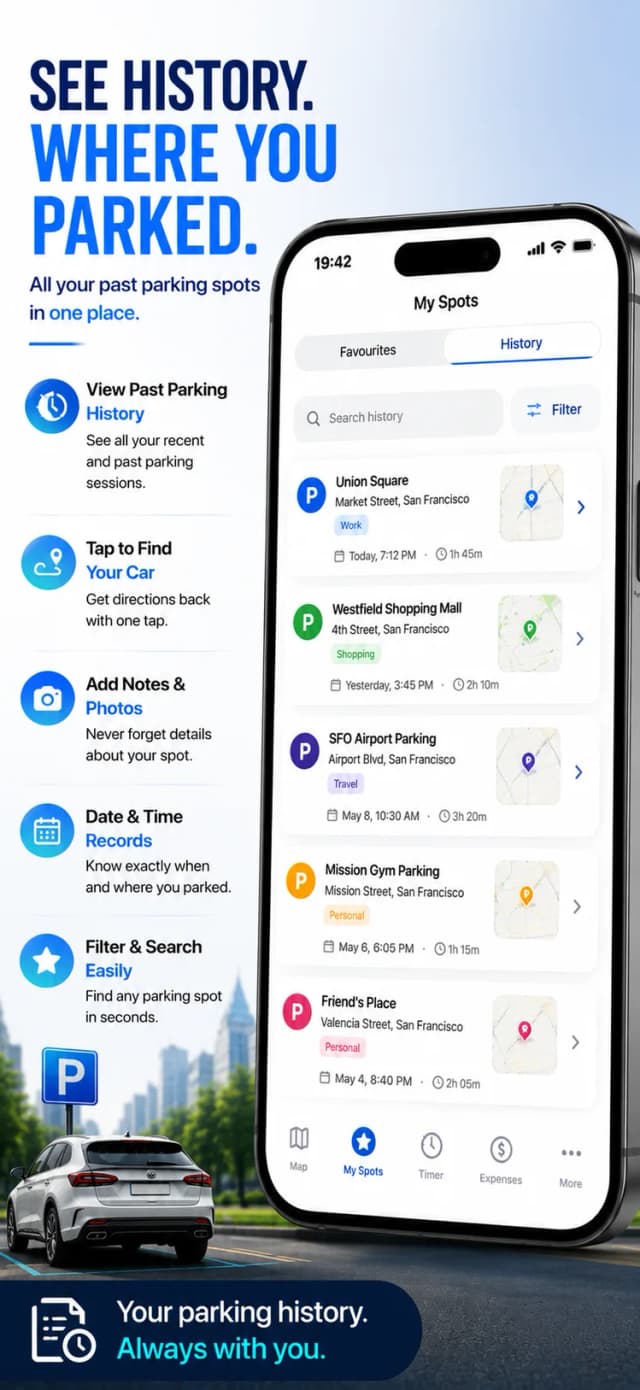
Every session is logged: where you parked, how long you stayed and what it cost. Handy for expenses, and for spotting which garage is quietly draining your wallet.
Screenshots
A look inside ParkSpot
How it works
Up and running in 4 steps
Tap Save When You Park
ParkSpot pins the exact location and address of your car.
Add a Photo & Details
Snap the pillar or level, add the floor, zone or a short note.
Start the Timer
Enter how long you are allowed to stay and get a warning before it expires.
Follow the Map Back
When you return, open ParkSpot and walk straight to your car.
ParkSpot Pro
Optional — the free version stays fully usable
- Unlimited favourite parking spots
- Supports ongoing development
- Monthly or yearly with a free trial
- Lifetime one-time purchase available
Guides
Go deeper with ParkSpot
In-depth answers to what people actually search for — and how ParkSpot solves it.
FAQ
Questions, answered
What is ParkSpot?
ParkSpot is a find-my-car app for iPhone. It saves your parking spot with the address and a photo, runs a parking timer on your Lock Screen, and guides you back to the car on a map.
Learn moreDoes the parking timer show on the Lock Screen?
Yes. The countdown runs as a Live Activity on your Lock Screen and Dynamic Island, and ParkSpot reminds you before your time expires.
Learn moreDoes ParkSpot work in underground garages?
Yes — the spot, your photo and your notes are saved on the device, so they are available even where GPS and mobile signal are weak.
Learn moreAre my photos and locations uploaded anywhere?
No. Photos and parking data stay on your iPhone.
Can I track what parking costs me?
Yes — add the cost to each session and your parking history keeps a running record, which is useful for expenses.
Is ParkSpot free?
Yes, ParkSpot is free to download and use. ParkSpot Pro is an optional purchase that unlocks unlimited favourite spots, available as a subscription with a free trial or a one-time lifetime unlock.
Never Lose Your Car Again
Download ParkSpot free, save your spot in one tap, and let the timer and the map handle the rest.
Free to download • Optional in-app purchases