The 2026 World Cup is the biggest ever: 48 teams, 104 matches, 16 host cities spread across the USA, Canada and Mexico — and at least four different kickoff time zones on any given matchday. A 7 PM kickoff in Vancouver is 4 AM the next morning in Berlin and 10 PM in New York.
Manually converting a hundred kickoffs is how you end up missing the one match you wanted most. The sane approach: view the schedule in software that converts every fixture to your local time automatically.
Why 2026's schedule is uniquely confusing
- Host cities span from Pacific (Vancouver, Seattle, Los Angeles) to Eastern (New York/New Jersey, Miami, Toronto) plus Mexico's Central zone.
- 104 matches — up from 64 — means group-stage days with four or more kickoffs across the continent.
- Late group-stage rounds have simultaneous kickoffs; knockouts stretch from June 28 to the July 19 final at MetLife Stadium.
- Daylight-saving quirks: broadcast listings in "ET" don't help if you're watching from Europe or Asia.
The reliable setup
- 1Use a schedule that displays kickoff times converted to your device's time zone — automatically, including any DST changes.
- 2Save the matches you actually plan to watch; a watchlist of 15 games is manageable, 104 is noise.
- 3Sync saved matches to your calendar so family plans and kickoffs can negotiate early.
- 4Add a countdown widget for your next match — the glanceable answer to "when do I need to be on the couch?"

How to set it up in Football Schedule Planner 2026
- 1
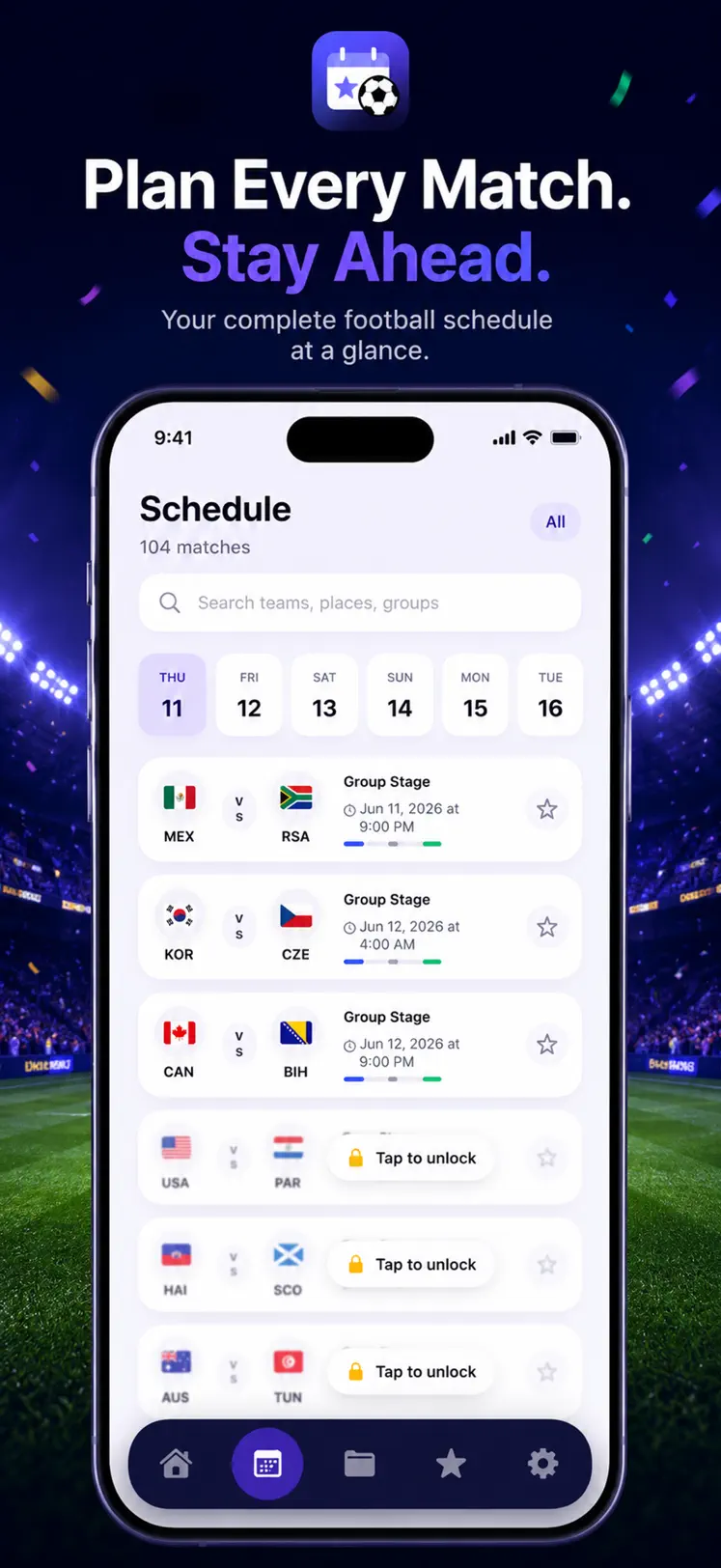
Open the full schedule
All 104 fixtures are listed with kickoff times already converted to your local time zone.
- 2
Save your matches
Tap to save the games you care about — by team, group or stage — into your personal watchlist.
- 3
Sync to calendar
One tap pushes your saved matches into your iPhone calendar with the correct local times.
- 4
Add the widget
The countdown widget shows time-to-kickoff for your next saved match, right on your Home Screen.

Free to download on iPhone & iPad
Frequently asked questions
When is the World Cup 2026 final?
Sunday, July 19, 2026 at MetLife Stadium in New Jersey. The app shows the kickoff in your exact local time.
Does the app handle daylight saving changes?
Yes — times follow your device's time zone settings, so DST conversions are always correct automatically.