A floor plan is the most useful thing you can leave a viewing with, and almost nobody does. Photographs tell you what a flat looks like; only dimensions tell you whether your furniture fits and whether the rent is fair for the space.
It takes about ten minutes if you know what to capture.
What to capture per room
- Each wall length, going around the room in order.
- Ceiling height, once — it drives volume, heating and whether your wardrobe stands up.
- Door and window positions, since they determine where furniture cannot go.
- Radiators, sockets and the fuse box, which constrain layout more than people expect.
- Anything awkward: sloped ceilings, pillars, boxed-in pipework.
Why the plan beats the photos
Two flats with the same stated floor area can be very different to live in, depending on how the space is divided and where the doors sit. A plan makes that comparable; photographs actively hide it, because wide-angle lenses make every room look larger.
A plan also settles the furniture question before you commit, which is the most expensive mistake in a move.
Sending it on
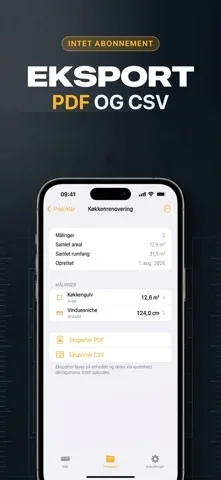
- PDF for anything going to a landlord, agent or tradesperson.
- CSV when the measurements feed into a quote or a spreadsheet.
- The floor plan as an image for a quick message to whoever could not attend the viewing.
- Keep each flat as its own named project, so a week of viewings stays comparable.

Building the plan in Mitta
- 1
Create a project per flat
Named, so three viewings in a day do not blur together.
- 2
Measure wall by wall
The dimensions are written onto the plan as you go.
- 3
Scan the room if you can
On LiDAR devices, walls, doors and windows are picked up automatically.
- 4
Export before you leave
PDF, CSV or an image — while the room is still in front of you.

Free to download on iPhone & iPad
Frequently asked questions
Can I keep several properties separate?
Yes. Measurements are collected into named projects, so each flat or room stays its own set.
Does anything get uploaded?
No. There is no account and no data leaves your phone — you share only what you export yourself.