Phone measurement has moved from a party trick to a genuinely useful tool, but the accuracy question deserves a straight answer rather than marketing. It depends on the hardware, the light, the distance and the surface — and it is never as exact as a tape held taut.
Knowing the error margin is what makes the tool usable, because it tells you which jobs it is fine for and which it is not.
What to expect
- Without a LiDAR scanner, expect roughly 1–5% deviation depending on conditions.
- With LiDAR, accuracy improves noticeably, particularly on larger distances and flat surfaces.
- Poor light, reflective or transparent surfaces and long distances all make it worse.
- Standing too far from the surface degrades the reading — the app will tell you when you are.
Jobs where this is enough
- Will the sofa fit through the door and along that wall?
- Roughly how much paint or flooring does this room need?
- What is the room volume, for a heating or moving quote?
- Recording a flat during a viewing, when there is no time for a tape measure.
- A sketch floor plan to send to someone who was not there.
Jobs where it is not
Anything cut to fit — worktops, shelves cut to a millimetre, joinery, tiling that must meet a line. For those, measure with a tape and measure twice; a two percent error over three metres is six centimetres, which is the difference between a fitted shelf and a gap.
The sensible workflow is to use the phone for the survey and the tape for the cut.
Technique that improves the reading
- 1Move the phone slowly across the surface first so the app can map the plane before you start.
- 2Stand at a sensible distance — close enough for detail, far enough to see the whole run.
- 3Get more light on the surface; measurement in dim rooms is where most of the error comes from.
- 4Measure long walls in segments rather than one long span.
- 5Take the same measurement twice and compare — a large gap between the two means conditions are poor.

Measuring a room in Mitta
- 1
Measure the walls
Segment by segment around the room; the app keeps them as one run.
- 2
Enter the wall height
Once per room — the volume follows from the floor area.
- 3
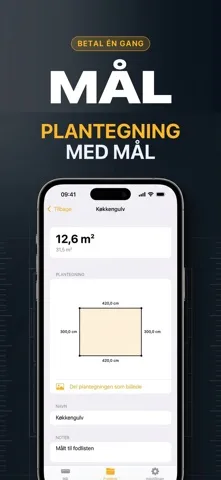
Generate the floor plan
Each wall is labelled with its dimension, ready to share as an image.
- 4
Check the reliability indicator
The app shows how reliable the current measurement is and warns when conditions are poor.

Free to download on iPhone & iPad
Frequently asked questions
Do I need a LiDAR iPhone?
No. The camera-based tools work without it, with a larger error margin. Full room scanning with walls, doors and windows requires LiDAR.
Should I trust it for something I am cutting to size?
No. Use it for the survey and a tape measure for anything that has to fit exactly.